ENGAGE & GATHER > DOCUMENT MANAGEMENT
Best-in-Class DMS Built Specifically for CPA Firms.
HubSync’s Document Management System fully integrates seamlessly with your entire tax workflow, giving you the modern document management your firm deserves.
Features
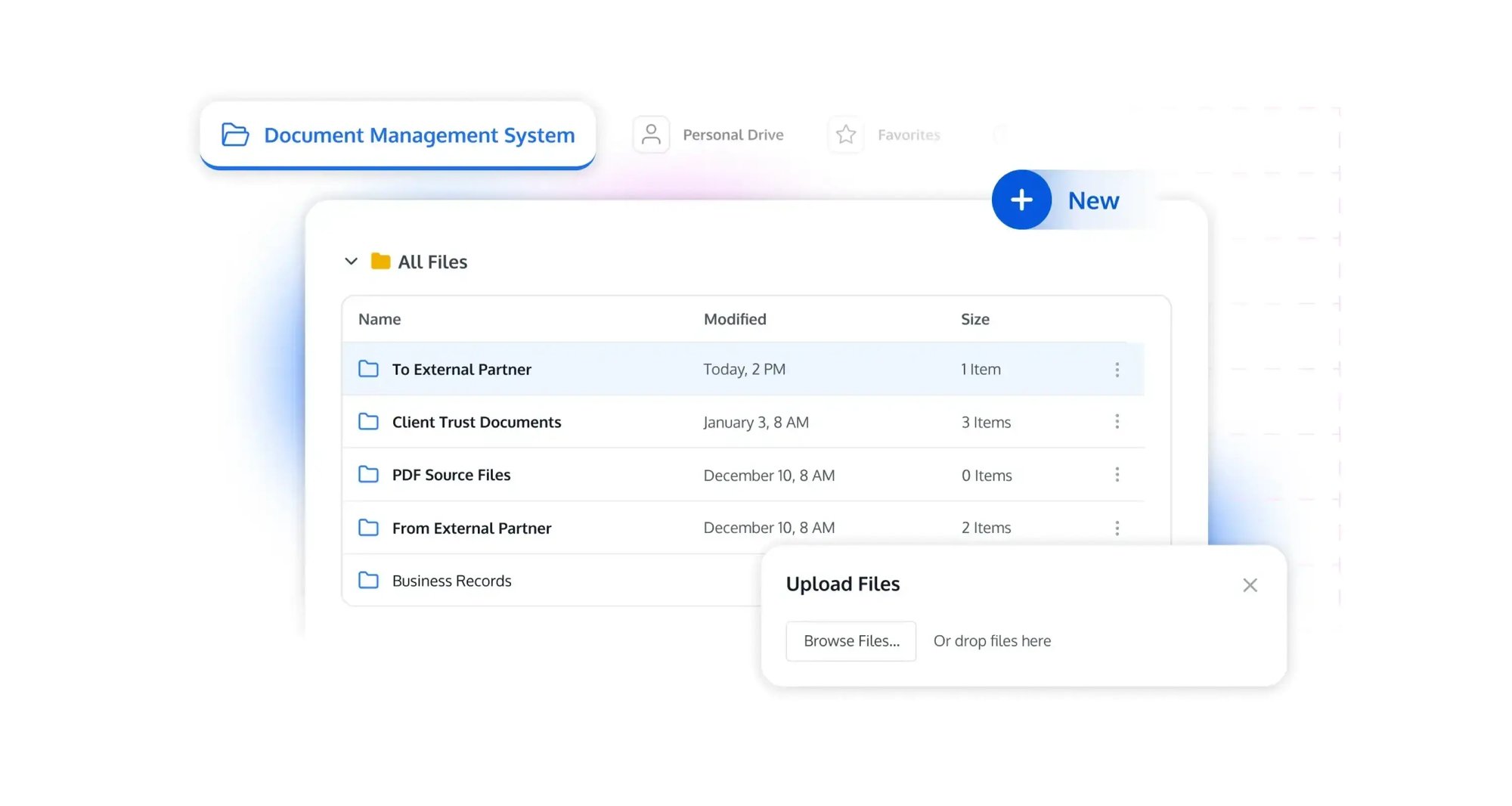
HubSync now provides the CPA industry’s first fully integrated document management "backbone", connecting client experience, engagement workflow, compliance controls, and collaboration — all in one platform.
- Unified Document Repository
- Retention
- Search
- Coediting
- Enterprise Retention Controls
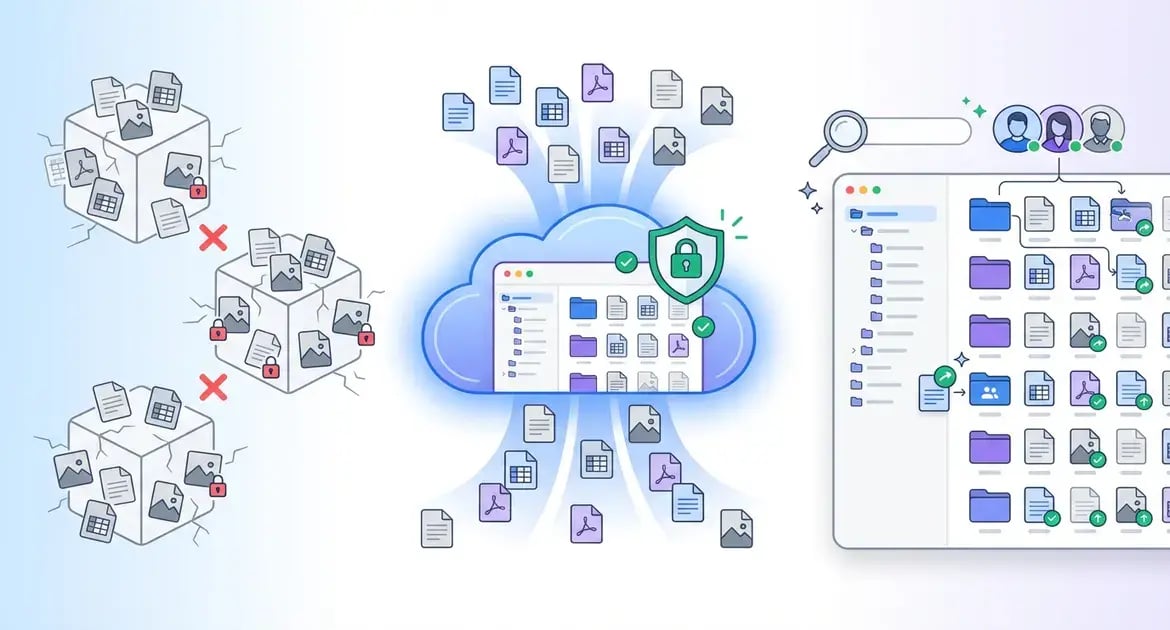
SINGLE SOURCE OF TRUTH
Fully Integrated Into HubSync Ecosystem
We have solved the one ecosystem problem. Our automatic sync eliminates manual uploads, dual storage systems, network drive shadow copies and disconnected portals. Boom!
Your Firm's Internal "Backbone"
DMS, along with Gateway and other Gather & Deliver services, becomes the firm-facing experience you have dreamed of that becomes your firm's single source of truth.
Auto Sync
This is huge! Documents uploaded through client workspaces, Engagement Letters, e-Sign and Delivery - all auto sync'd to respective client folder.
Bye Bye Legacy Systems
No one other competitor in the market comes close to how HubSync solves the ecosystem problem for CPA Firms.
EDIT TOGETHER, EFFORTLESSLY
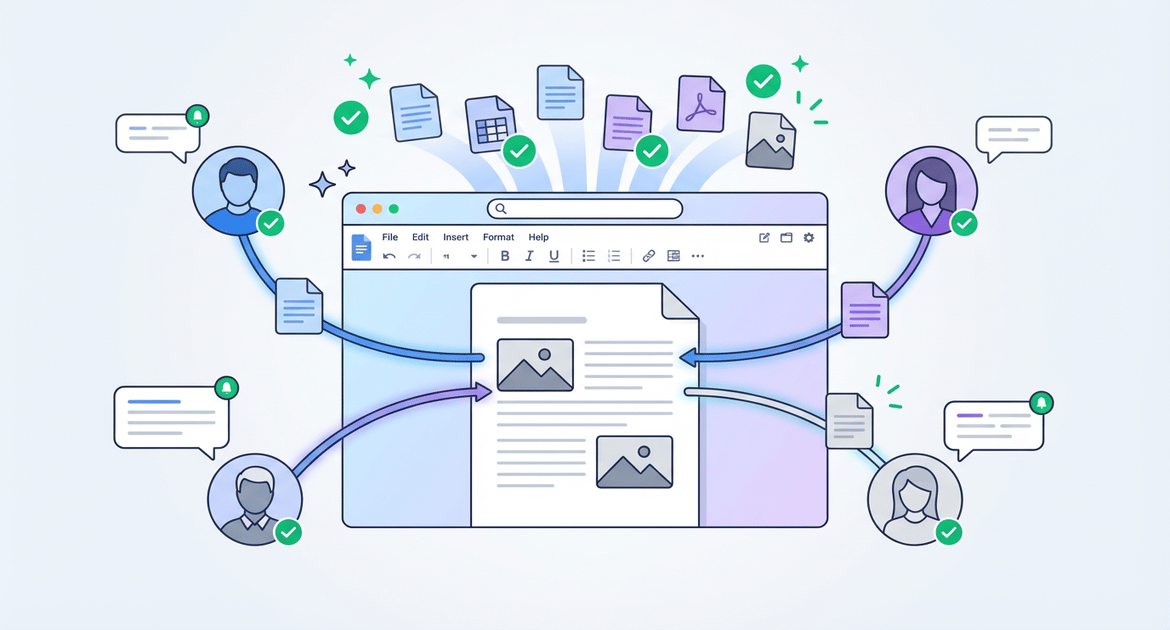
Live Multi-User Editing
HubSync enables seamless team collaboration on documents with live editing, notifications, and full Office support—perfect for CPA workflows without version conflicts.
SMART RETENTION, ZERO HASSLE
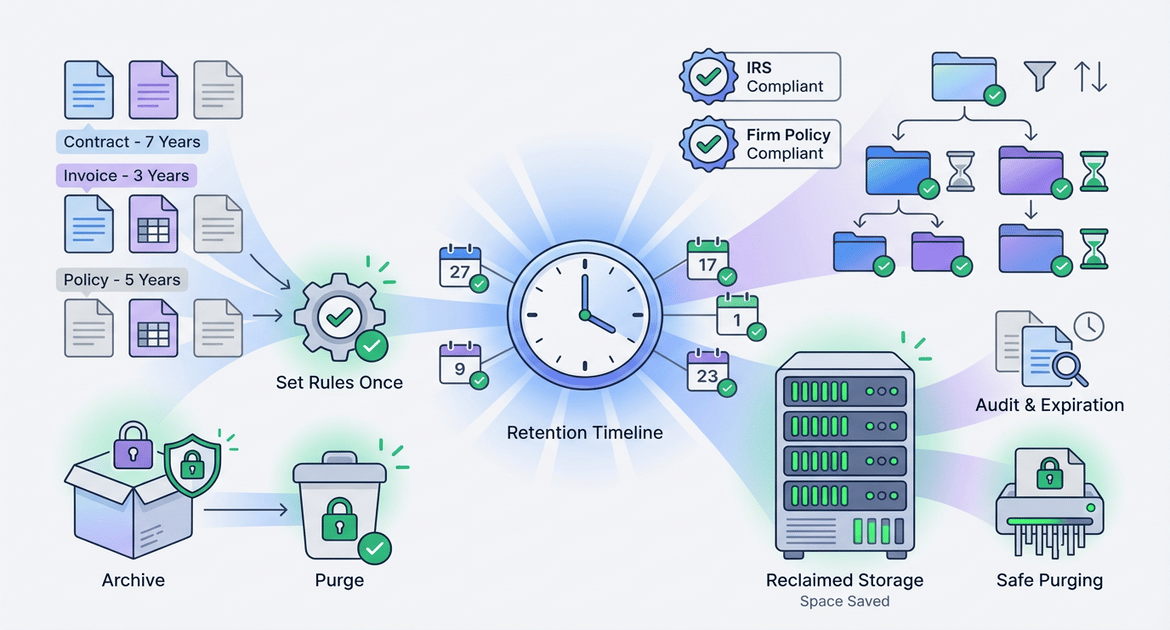
Automate Document Lifecycles
HubSync's retention management automatically tags, archives, and purges documents per IRS and firm policies—ensuring compliance while reclaiming storage space. Set rules once, and let automation handle expirations, audits, and secure deletions to simplify workflows and reduce risk.
Firm Level Retention Policies
Define retention rules at the firm level to standardize compliance across all client documents, from tax returns to audits. Customize categories for IRS, state, and internal policies, ensuring consistent application without manual tracking.
Automated Retention Tagging
HubSync auto-tags every document upon upload or import based on type, client, and firm rules—no more spreadsheets or guesswork. Tags update dynamically as policies change, flagging expirations early to maintain audit-ready organization effortlessly.
Purge Review and Auto Purge Capabilities
Review flagged documents in a simple dashboard before automated purging, with bulk approval and audit trails for compliance. Set schedules to securely delete expired files, reclaiming storage while meeting data minimization requirements and reducing breach risks.
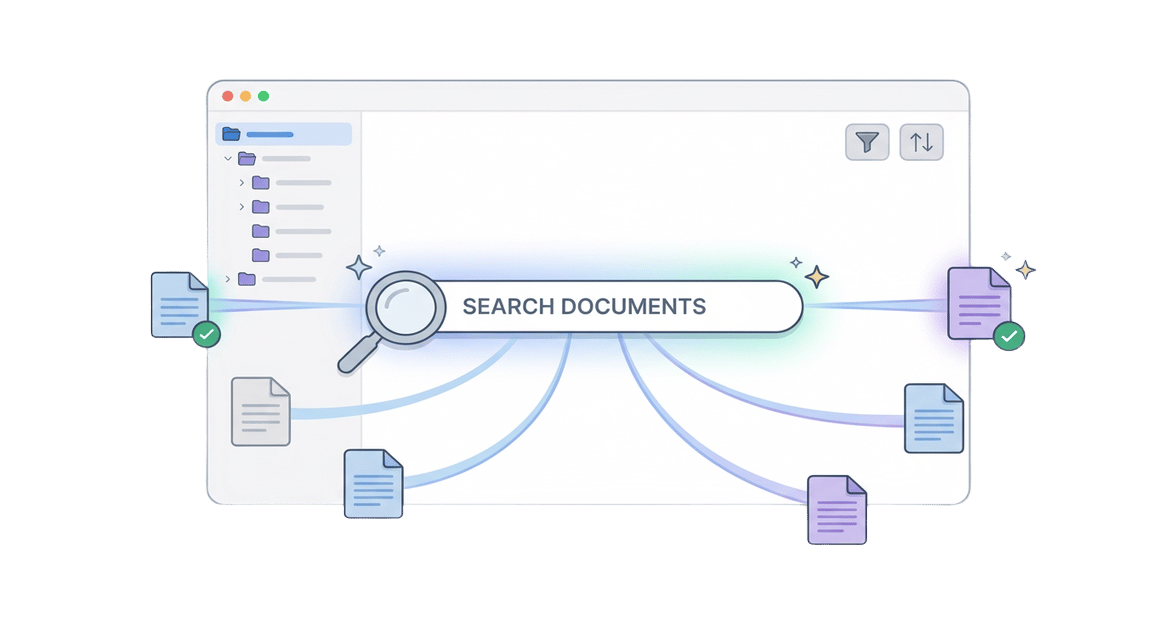
WICKED SMART SEARCH
Powerful Document Search
HubSync's search transforms document chaos into instant access—scan millions of files across clients in seconds with intuitive tools tailored for CPA workflows.
Full Text Search & Filtering
Search every word within PDFs, scans, and attachments using full-text indexing, then filter by client, date, type, or tags for pinpoint accuracy. No more endless scrolling or folder diving; get relevant results ranked by relevance to save hours weekly.
Access Control Results
Results respect firm permissions, client portals, and role-based access—ensuring sensitive data stays secure while teams see only what they're authorized for. Maintain compliance with SOC 2 and IRS rules without slowing down authorized users.
RAG Search (Coming Soon!)
Leverage Retrieval-Augmented Generation for AI-powered queries that understand context, summarize findings, and answer questions like "Show me John's 2024 depreciation schedules." Expect smarter, conversational search that boosts productivity like never before.
Real-Time Collaborative Editing
Multiple users edit simultaneously with live cursors and instant updates, like Google Docs but secure for tax docs. Lock sensitive sections during peak season to prevent errors while speeding reviews.
Support for Office® Documents
Native editing for Word, Excel, and PowerPoint files—no conversions needed. Handle complex spreadsheets, presentations, and memos with full fidelity and audit trails for compliance.
@ Mentions to Notify Collaborators
Tag teammates with @mentions for instant notifications, threaded replies, and task assignments. Streamline feedback loops, reducing email ping-pong and keeping everyone aligned on deadlines.
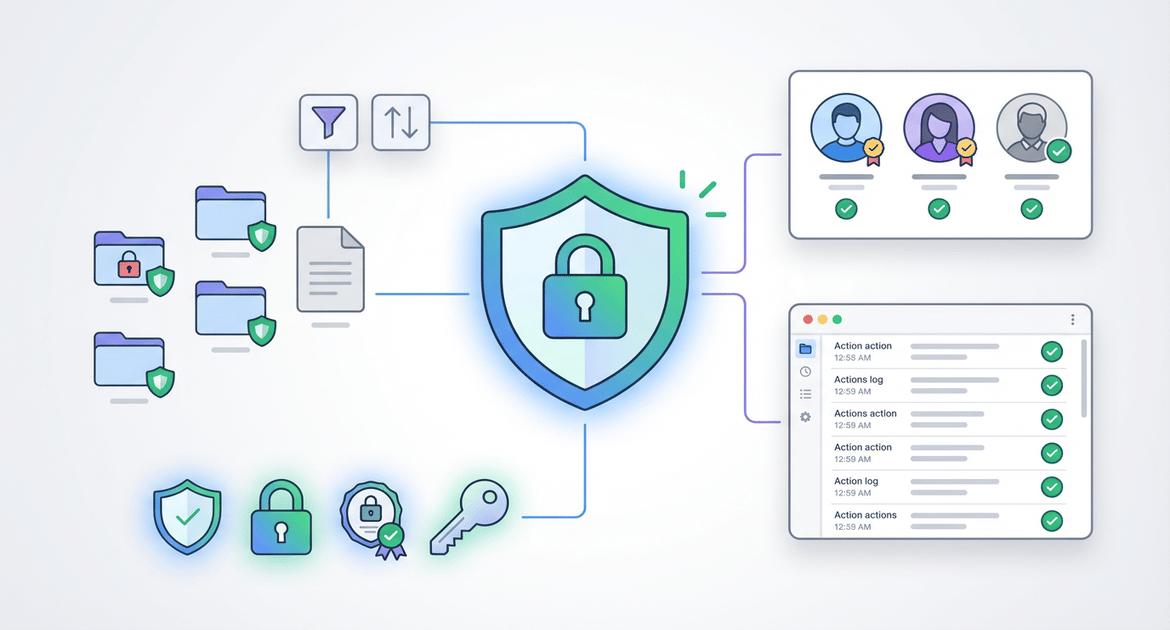
IRONCLAD SECURITY
Enterprise-Wide Controls
HubSync delivers robust security at scale with granular permissions, full audit trails, and effortless user management—keeping your firm compliant and data protected.
Granular Role-Based Permissions
Set permissions from app-wide access down to individual files, ensuring partners see everything while staff and clients access only what's needed. Maintain SOC 2, IRS, and firm policies without constant manual tweaks.
Complete Audit Trail Logs
Track every view, edit, share, and deletion with timestamped logs for instant compliance reviews or audits. Export reports effortlessly to prove data handling meets regulatory standards.
User Management
Onboard, revoke, or adjust user permissions in seconds via a simple dashboard—no IT team required. Bulk actions and role templates make scaling secure access across your growing firm a breeze.
READY FOR A NEXT-LEVEL DMS?
Transform Your Document Workflow Today
Experience HubSync's revolutionary Document Management System with a personalized demo tailored to your CPA firm's needs. Sign up now to unlock centralized storage, AI-powered search, and seamless portal integration—join top firms boosting efficiency.
EXPLORE INSIGHTS
Unlock Expert Resources
Dive into our resources to uncover practical strategies, emerging trends, and proven approaches designed to help your firm streamline workflows and enhance the client experience.
WHITE PAPER
Find Documents with Ease
Discover how HubSync's DMS centralizes files, unleashes AI-powered search, and syncs effortlessly with client portals to supercharge your CPA workflow. Download now for instant insights on slashing document chaos and boosting productivity like top firms.
VIDEO
All Your Client Documents in One Place
See how HubSync keeps every client document organized, searchable, and instantly accessible for your team and your clients.
FREQUENTLY ASKED QUESTIONS
You're Got Questions, We've Got Answers
Your document platform sits at the center of your tax and accounting workflows. Use these FAQs to quickly understand how our system handles security, organization, collaboration, and integration with your existing tools.
-
Can HubSync replace products such as Box, Sharepoint, and GoFileRoom?Yes! HubSync offers core document management functionality found in tools such as Sharepoint, Google Drive, and Box along with solving for the needs of tax firm with strict permissioning, retention controls, file locking, sign off, and more. The DMS provides a single access point into all files related to their work and clients.
-
Can multiple users edit the same document at once?
Client folders (or binders) are configured upon implementation. This allows firms to decide on their own specific folder structures, retention policies, permissions controls, syncing rules and more to fit their needs.
-
How does HubSync DMS integrate with tax preparation workflows?
Documents uploaded to client portals, generated returns, signed 8879s, and engagement letters automatically sync to the appropriate client folder—creating a single source of truth for all client files.
-
Can I share files externally with clients?
Yes—use built-in file request and link sharing functionality to securely collect documents from clients with options for password protection, expiration dates, and access controls.
-
Can I control who sees specific documents or folders?
Yes—assign permissions at the folder or document level, restrict access by user or group, and sync permissions automatically with workspace assignments.
REQUEST YOUR DEMO
Master Document Control Effortlessly
See why forward-thinking accounting firms are choosing HubSync’s DMS to modernize their document workflows and boost productivity